CM Wire vs. Blue and Gold NiTi Files: Key Differences
CM, Blue, and Gold NiTi files are not interchangeable performance grades. This guide explains what the labels generally mean, how to compare specific products, and what distributors and OEM buyers should request before making a sourcing decision.
CM vs. Blue vs. Gold NiTi Files: Differences, Evidence, and How to Compare
NiTi endodontic files are often grouped under labels such as CM, Blue, and Gold. These labels can describe different material or processing approaches, but they are not standardized performance grades. A Blue file is not automatically more flexible than a Gold file, and a CM label does not establish the performance of every file that uses it.
For clinicians, distributors, and OEM buyers, the practical question is not which color is best. It is whether a specific file system has the design, specifications, documentation, and evidence required for its intended use. This guide explains the labels, shows how to compare named products, and provides a practical process for turning a technical comparison into a sourcing brief.
CM vs. Blue vs. Gold: Quick Comparison
| Category | What the label generally refers to | Commonly described behavior | What the label cannot establish |
|---|---|---|---|
| CM / Controlled Memory | A NiTi material or file category associated with controlled-memory behavior | Often described as flexible, with reduced spring-back; some products can be pre-bent | Exact transformation temperatures, mechanical properties, or performance of a particular model |
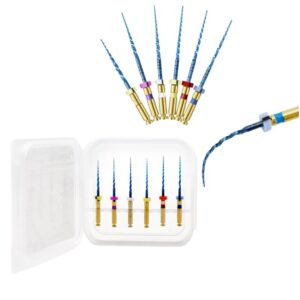
| Blue heat-treated | A product category commonly associated with post-machining heat treatment and a blue-colored surface oxide | Processing may change phase-transformation behavior and mechanical response | A standard manufacturing recipe or universal performance level |
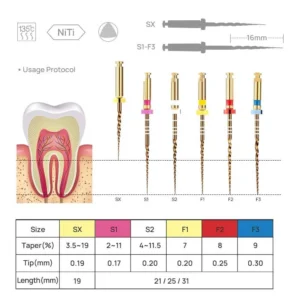
| Gold heat-treated | A product category commonly associated with post-machining heat treatment and a gold-colored surface oxide | Processing may change phase-transformation behavior and mechanical response | That every Gold file performs better than every Blue or CM file |
The useful distinction is that CM identifies a controlled-memory material or instrument category, while Blue and Gold are commonly used for heat-treated product families associated with characteristic surface colors. The precise process and resulting properties depend on the manufacturer and model.
What Do the Labels Mean?
CM Wire: Controlled-Memory Behavior
CM stands for Controlled Memory. In endodontic files, the term is associated with NiTi material that can show controlled-memory behavior. CM files are commonly described as flexible and less likely to spring back toward a straight shape than conventional superelastic files. Some can be pre-bent and retain a curve.
A review of thermomechanically treated NiTi describes a general manufacturing distinction: CM wire is thermomechanically processed as a material for file manufacture, while many Gold- and Blue-treated systems are ground before a proprietary post-machining heat treatment. This is a useful distinction between commonly described approaches, but it does not define every manufacturer’s process. The product label alone is not a substitute for the specific model’s technical information. Zupanc et al., “New thermomechanically treated NiTi alloys – a review”
Blue and Gold: Heat-Treatment Labels
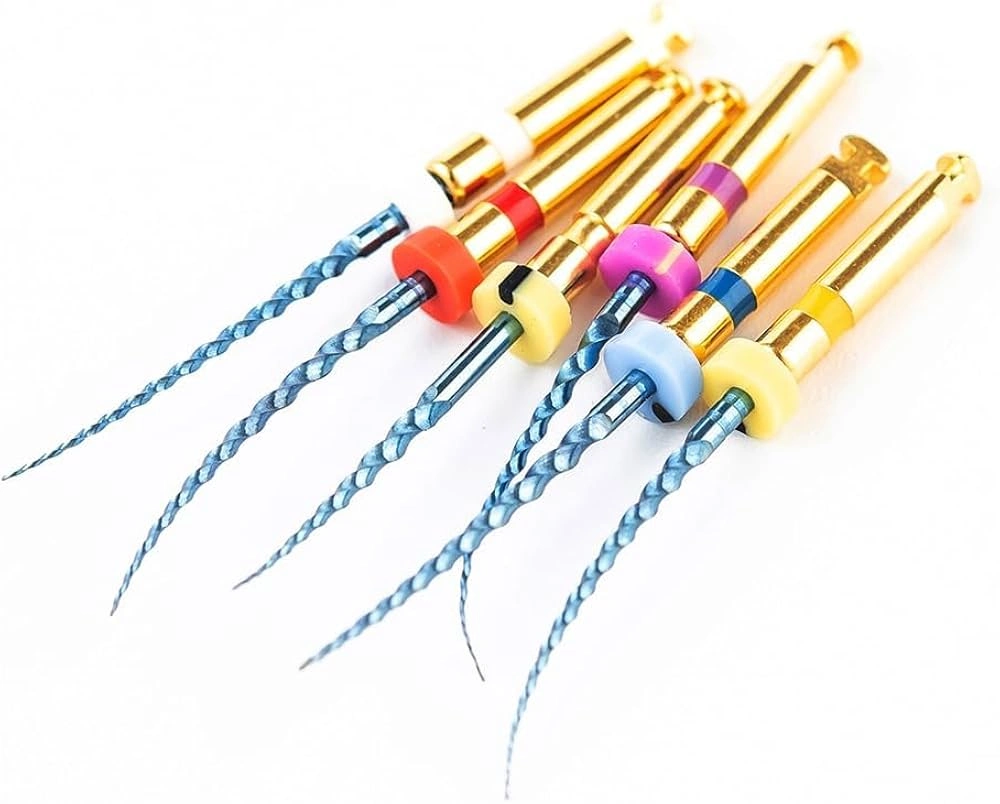
Blue and Gold are commonly used to identify files that undergo additional heat treatment. In studied systems, a surface oxide layer is associated with the characteristic color. The treatment can also affect the alloy’s phase-transformation behavior and mechanical response.
However, these color labels do not identify a single standardized recipe. Manufacturers may use proprietary processing, and files with the same color designation may have different dimensions, cross-sections, motions, and mechanical properties.
For that reason, statements such as “Blue is more flexible” or “Gold has better fatigue resistance” need to name the specific product and the evidence behind the claim. Without that detail, the category label is too broad to support a reliable comparison.
What Af Means in a NiTi File
Af is the austenite-finish temperature: the temperature at which the transformation to austenite is complete during heating. It is one measurement used to describe a NiTi material’s transformation behavior.
Af can help explain why two specific files respond differently at a given temperature. It does not, by itself, tell a buyer how flexible a finished file will feel, how long it will resist cyclic fatigue, or how it will perform clinically. Those outcomes also depend on factors such as composition, thermomechanical processing, file geometry, dimensions, and testing conditions.
A higher Af may indicate that more martensite or an intermediate phase is present under particular conditions, but interpreting that result requires the broader transformation data and the exact test method. Af should therefore be treated as one technical data point—not a stand-alone quality score.
Why the Phase at Body Temperature Is Not the Whole Answer
Material phase is relevant because NiTi files can respond differently depending on their phase state and temperature. But knowing the phase does not describe the entire instrument. Two files may have different cross-sections or core dimensions even if their material labels are similar. That geometry can change bending response and other mechanical measurements.
For a useful product comparison, review the material data alongside the file’s size, taper, working length, cross-section, and intended motion. If a supplier provides an Af value, ask which exact model it applies to, how it was measured, and whether it describes the production file or a material sample.
What Can Be Compared Between CM, Blue, and Gold Files?
The comparison below separates what the category label generally communicates from what must be checked at product level.
| Comparison point | CM | Blue | Gold |
|---|---|---|---|
| Label meaning | Controlled-memory material or file category | Heat-treated product label commonly associated with blue surface color | Heat-treated product label commonly associated with gold surface color |
| Processing information | Confirm the alloy and processing used for the specific CM product | Confirm the named product’s processing; the label does not disclose a universal recipe | Confirm the named product’s processing; the label does not disclose a universal recipe |
| Material behavior | Controlled-memory behavior is commonly associated with flexibility and reduced spring-back | Phase-transformation behavior varies by product | Phase-transformation behavior varies by product |
| Pre-bending | Some products are described as pre-bendable | Some products may show controlled-memory characteristics; verify the model | Some products may show controlled-memory characteristics; verify the model |
| Mechanical performance | Requires product-specific evidence | Requires product-specific evidence | Requires product-specific evidence |
| Best comparison basis | Exact model, geometry, dimensions, and test results | Exact model, geometry, dimensions, and test results | Exact model, geometry, dimensions, and test results |
This table is a guide to asking better questions, not a ranking. The labels help identify what to investigate; they do not replace the product specification.
How to Interpret Research on Blue and Gold Files
Research can make a comparison more useful when it identifies the exact models, describes the test methods, and reports the conditions under which the measurements were made.
For example, one laboratory study examined WaveOne Gold, ProTaper Gold, and Reciproc Blue alongside three other file systems. It measured phase-transformation behavior, bending loads, and cyclic fatigue. Among the samples studied, the measured Af values were 51.6°C for WaveOne Gold, 50.6°C for ProTaper Gold, and 38.4°C for Reciproc Blue. The study also reported differences in bending and fatigue results among the tested products. Hou et al., “Phase transformation behaviors and mechanical properties of NiTi endodontic files after gold heat treatment and blue heat treatment”
These measurements are useful because they show that named products can differ. They do not establish universal Af ranges for every Gold or Blue product. Nor do they prove that the color treatment alone caused the measured differences: the study compared complete instruments with different designs and motions under specified laboratory conditions.
When using a study to compare files, check:
- the exact manufacturer, system, and model;
- the file size and dimensions;
- the cross-section and core design;
- whether the instrument used continuous rotation or reciprocation;
- what was measured—Af, bending load, torsional behavior, or cyclic fatigue;
- the testing temperature and setup;
- whether the result is from laboratory testing or clinical research.
A cyclic-fatigue result does not establish torsional strength, cutting efficiency, or clinical outcome. A result from one model should not be generalized to all files carrying the same label.
How to Compare Specific NiTi File Systems
Use the following process when comparing products for clinical evaluation, distribution, or private-label development.
1. Name the Exact Products
Write down the manufacturer, product line, model, and SKU for each file. “Gold file” and “Blue file” are category descriptions, not sufficiently precise product names.
This prevents a common sourcing problem: two quotations may appear to cover the same treatment category while referring to different product configurations.
2. Match the Specifications
Record the tip size, taper, working length, and cross-section for each product. If the files are not dimensionally comparable, note that before interpreting test differences.
A meaningful comparison does not require every product to be identical. It does require the buyer to understand which differences may influence the result.
3. Confirm the Intended Motion and Use Instructions
Identify whether the file is designed for continuous rotation or reciprocation. Confirm the manufacturer’s specified speed, torque, sequence, and instructions for use for the particular system.
Do not transfer operating parameters from one system to another simply because the files have a similar size, color, or label.
4. Review Material and Test Documentation
Ask which material or processing description applies to the SKU under review. If mechanical test results are provided, record the test method, conditions, sample, and property measured.
For purchasing decisions, evidence is useful only when the buyer can tell what product it describes and what the result means.
5. Separate Requirements from Claims
Create two lists:
- Requirements: specifications and documents the product must meet.
- Claims: statements that need supporting evidence, such as “higher fatigue resistance” or “improved flexibility.”
This distinction helps prevent a marketing statement from being treated as a verified product specification.
For a broader system-level checklist covering sequence, dimensions, geometry, motion, and supplier specifications, see the NiTi rotary file system selection guide.
Turn the Comparison Into a Sourcing Brief
The article’s comparison should lead to a practical next step. For distributors and OEM buyers, that step is to convert the requirements into a brief that can be sent to suppliers.
| Brief section | Information to include |
|---|---|
| Target market | Country or region and intended customer channel |
| Product type | Continuous-rotation or reciprocating file system |
| Configuration | Required sizes, tapers, lengths, and sequence |
| Design | Preferred or required cross-section, if applicable |
| Material information | CM, Blue, Gold, or another description—and what documentation is required |
| Packaging and brand | Standard packaging, neutral packaging, or private-label requirements |
| Evidence and documents | Specification sheet, instructions for use, available test data, and market-required documents |
| Commercial details | Estimated volume, requested pack configuration, and quotation requirements |
Why This Step Matters
A request such as “Please quote Gold NiTi files” leaves important questions unanswered. The supplier may not know which sequence, dimensions, motion, packaging, or documentation you require.
A precise brief gives every supplier the same basis for responding. It also makes quotations easier to compare and reduces the chance that the approved sample, the product specification, and the final order refer to different configurations.
For supplier qualification, sample approval, and repeat-order controls, see the separate NiTi rotary file supplier evaluation guide. This article focuses on metallurgy labels and product comparison; the supplier guide addresses the broader sourcing process.
What to Do After Receiving Supplier Responses
Review each response against the same brief:
- Mark every requirement as confirmed, not available, or needs clarification.
- Check that specifications refer to the exact model or SKU.
- Compare technical documents only when the tested product and test conditions are clear.
- Ask suppliers to clarify missing information before comparing price.
- If samples are available for the project, assess them against the approved specification and intended evaluation protocol.
- Confirm the agreed configuration in writing before placing an order.
This process does not make one file category universally better. It helps buyers identify which specific product is documented well enough for the decision they need to make.
Explore AMEXORS NiTi Rotary File Options
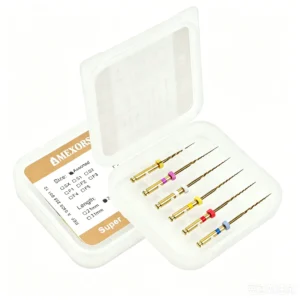
The AMEXORS NiTi rotary file range lists available product configurations and provides options to request a catalog or quotation. The page includes product information for Blue, Gold, heat-treated, and controlled-memory products.
For category-level information, see AMEXORS heat-activated NiTi rotary files. For product-specific details, review the Blue heat-activated NiTi file page, the Gold heat-activated NiTi file page, or the Controlled Memory NiTi file page.
For product evaluation or sourcing, include the product link or SKU in your inquiry and specify the required sizes, tapers, lengths, motion, packaging, and documentation. This gives the AMEXORS team a concrete basis for checking available configurations and preparing a response.
If your question is about how heat treatment affects flexibility in general, read how heat treatment affects NiTi file flexibility. That article covers the broader mechanism; this page focuses on the distinctions between CM, Blue, and Gold labels and how to compare specific products.
Frequently Asked Questions
What is the difference between CM wire and Blue or Gold NiTi files?
CM refers to Controlled Memory NiTi. Blue and Gold are commonly used for heat-treated file families associated with characteristic surface colors. Literature describes different processing approaches, but the precise process and finished properties depend on the specific product.
Are Gold files better than Blue files?
There is no universal ranking based on color. Research compares specific models under particular test conditions. Those results should not be applied to every file marketed as Gold or Blue.
Does file color indicate its flexibility or fatigue resistance?
No. Color alone does not establish a file’s flexibility or cyclic-fatigue resistance. Check the exact product, its geometry and dimensions, and any relevant model-specific evidence.
What does Af mean for a NiTi file?
Af is the austenite-finish temperature during heating. It describes one aspect of the material’s transformation behavior; it is not a complete measure of file quality or clinical performance.
What should a distributor request when comparing CM, Blue, and Gold files?
Request the exact product specification, instructions for use, available material information, and relevant test documentation for each model. Compare suppliers using the same product brief and record any gaps before making a purchasing decision.
What should an OEM buyer include in a NiTi file inquiry?
Include the target market, file type and motion, required sizes and tapers, working lengths, packaging and branding needs, estimated quantity, and requested documentation. If you are comparing CM, Blue, or Gold products, identify the exact product category and ask which product-specific information is available.
Key Takeaway
CM, Blue, and Gold describe different NiTi file categories and processing approaches, but they are not universal performance rankings. Compare exact products, specifications, and evidence. For B2B purchasing, turn that comparison into a written product brief, request model-specific information, and confirm the agreed configuration before ordering.